At the Monte Carlo high-limit room, there is a specific moment that separates the amateurs from the house. A player is up $300,000. The connection stutters. The video feed pauses. For six seconds, nobody knows if the hand is continuing or if they've been disconnected.
The player who panics and closes the app loses the hand. The player who stays calm and waits reconnects and continues. I've seen $500,000 turn on the moment someone closes the wrong window.
Live dealer games depend on a video stream from the casino to your screen. If the stream breaks, the game experiences lag or buffering. Here's why it happens and how to fix it.
The Technical Setup
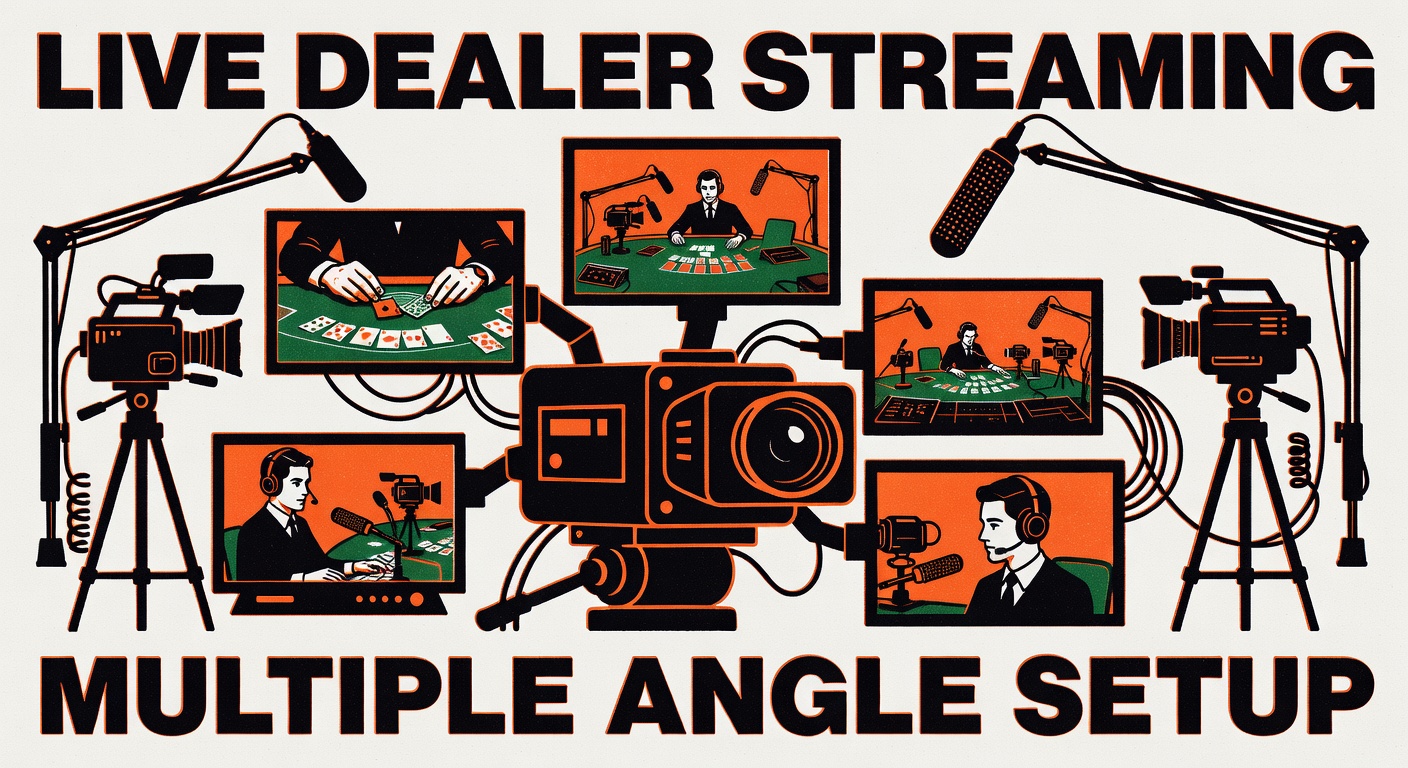
When you join a live dealer game, your computer connects to a server. That server receives video from a camera pointed at a real table. The stream goes through encoding software (compression to make the data smaller), then through the internet to your device, where decoding software translates it back into video.
Each step introduces latency. The casino can't eliminate it, but they can minimize it.
Most licensed casinos use providers like Evolution, Pragmatic Play, or Playtech. These companies manage the video infrastructure. They use multiple camera angles, redundant servers, and geographic distribution (servers in different locations) to reduce lag.
But the weakest link is always the player's internet connection.
Why Buffering Happens
Your connection is dropping packets (pieces of data aren't making it from server to your device). Your bandwidth is too low (you're trying to stream 1080p video but your connection maxes out at 3 Mbps). Your router is overloaded (someone else is downloading movies). Your device is overheating.
The casino is not responsible for any of these.
But from the player's perspective, the game froze, so it's the casino's fault. It's not. It's your internet.
The Fixes
First, close every app that uses internet. Chrome tabs, Slack, Discord, Zoom, anything. Live dealer needs 5 Mbps of bandwidth at minimum. If you're splitting 10 Mbps between four apps, you're at 2.5 Mbps per app.
Second, connect via ethernet cable instead of WiFi. WiFi is convenient and looks the same as ethernet to humans but introduces latency and dropout risk. A $10 ethernet cable solves most buffering issues immediately.
Third, reboot your router. Unplug it for 10 seconds. Plug it back in. Wait for it to fully restart (all lights stable). Then try the game. Many buffering issues are dead routers, not dead internet.
Fourth, run a speed test (go to speedtest.net). You need at least 5 Mbps download, 2 Mbps upload. If you're below that, call your ISP and complain. Or move to a location with better connection (library, coffee shop with good internet).
Fifth, check your device temperature. If your laptop is hot, it throttles the CPU and the video decoder can't keep up. Close the game, let the device cool for 10 minutes, try again.
Sixth, update your graphics drivers. Old drivers sometimes can't decode video efficiently. Visit your graphics card manufacturer's website (NVIDIA, AMD, Intel) and download the latest driver.
Seventh, reduce the video quality. Most casinos let you set the stream quality (Auto, High, Medium, Low). Try Medium or Low. You don't need 1080p to see the cards.
The Software Side
Some casinos have specific browser requirements. Evolution, for example, works best in Chrome. Pragmatic Play works best in Firefox. Try a different browser.
Clear your browser cache and cookies. Old cache can interfere with the stream. Go to Settings, Privacy, Clear Browsing Data, and wipe everything from the past week.
Disable hardware acceleration if you're still getting buffering. This is a browser setting (Chrome: Settings, Advanced, System, turn off Hardware Acceleration). Counterintuitive, but sometimes software decoding works better than hardware for live video.
When It's Actually the Casino
If your internet speed is good (above 10 Mbps), you're connected via ethernet, your device is cool, and you're still buffering constantly, the casino might be the issue.
This is rare. The casino uses CDN (content delivery networks) specifically to prevent this. But during peak hours, or if a casino is using cheap hosting, it happens.
Contact customer support. Document the buffering with screenshots or video. Explain your setup. If they're negligent, they might credit your account or issue a free spin.
The Professional Approach
A serious player doesn't gamble on WiFi in a Starbucks. They sit at a desk with a wired connection. They have a dedicated computer for gambling that runs no other apps. They've tested the setup multiple times.
When the hand gets big, the infrastructure is already solved. The player can focus on the game, not on whether the stream will hold.
This is the difference between recreational and serious players. Amateurs treat technology as something that happens to them. Professionals treat technology as part of the game setup.
If you're playing with real money, invest in your infrastructure. $50 in networking equipment and 30 minutes of setup saves you thousands in bad decisions made while your stream is buffering.
The casino won't do this for you. They'll just watch the buffering cost you another hand.